Python in C# Running and Handle Error Effectivly
3 minutes read
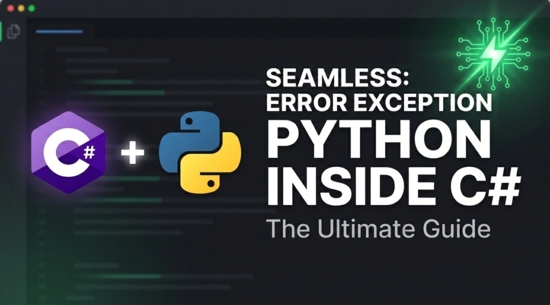
Python.NET is an open-source library that provides a seamless, low-level interoperability layer between Python and the .NET Common Language Runtime (CLR). This means you can call Python code from a C# application, or conversely, call C# and other .NET code directly from Python. In case need I will give sample example to run Python file from C#. I will skip create fresh project in C#, because when you asking for how to running Python in C# at least you know how basic it is.
Install Library Python.NET
Tools -> NuGet Package Manager -> Manage NuGet Packages for Solution...
and search for pythonnet in my case version 3.0.5
we need to load DLL python file which you have install python, in case you use Windows run in command prompt
where python
This command list location of execute file but we don't need that execute file but in same directory try to looking for something similar to this python313.dll (I am using Python 3.13)
Then copy that file path and paste as below example
Runtime.PythonDLL= @"C:\Users\UserName\AppData\Local\Programs\Python\Python313\python313.dll";
You can call this line only once when program start. Next you need to call initialize() method whenever you are using Py.GIL()
PythonEngine.Initialize();
using (Py.GIL())
{
      dynamic pythonfile = Py.Import("your_python_file_no_extention");
      pythonfile.function_python();
}
Explaination:
ThePy.Import("your_python_file_no_extention"); You have to place the Python file name( your_python_file_no_extention.py) that no need to include extention and the file must add the same directory or folder. In case you want to group Python files in a folder I will explain and give example code later at below.
The code pythonfile.function_python(); we can call the fuction in Python file (def) which is should be def function_python(): in Python file. The function could accept the parameters (string, number, array) that you pass to the function in Python.
Python Code Example:
Your file name your_python_file_no_extention.py
#This filename: your_python_file_no_extention.py

def function_python():
    print("Hello from Python")
Now in case you want to put the Python files in a folder which different from your C#. You can using following code
PythonEngine.Initialize()

using(Py.GUI()){

    var root = Path.GetDirectoryName(System.Reflection.Assembly.GetExecutingAssembly().Location);
    var pyPath = Path.Combine(root, "YouFolder");
    dynamic sys = Py.Import("sys");
    sys.path.append(pyPath);

    dynamic pythonfile = Py.Import("your_python_file_no_extention");
    pythonfile.function_python();
}
We can combine path to the Python folder to managable Python files.
The Py.Import("sys") is a method in the Python.NET library that allows you to import a Python module from within a C# application.
Error Handle:
When you are using Python execute from C#, and there is unexpected error occured in Python file, the running time error throw exception that difficult to track where the error is in Python file. To easily find out error from C# you have to add some code exception in Python file, so that it will enhance you to fix the code.
In Python file
import traceback

def you_function():

    try:

        #Your code that have unexpected error here

    except Exception as e:
        raise Exception(traceback.format_exc())
NOTE: in C# when catch the exception from class Python.Runtime.PythonException the property StackTrace will not work or error again, so you have not to call StackTrace property instead of using only Message it will produce all stack trace line of error code in message when you are using with my above code. Enjoyed coding and have a nice day!
Python

Author
As the founder and passionate educator behind this platform, I’m dedicated to sharing practical knowledge in programming to help you grow. Whether you’re a beginner exploring Machine Learning, PHP, Laravel, Python, Java, or Android Development, you’ll find tutorials here that are simple, accessible, and easy to understand. My mission is to make learning enjoyable and effective for everyone. Dive in, start learning, and don’t forget to follow along for more tips and insights!. Follow him
Search
Tags
Popular Articles
-
Python - Check If a String Starts With Specific Letter
2.72K -
The Difference Between %pip and !pip in Colab: Which One Should You Use?
2.48K -
Step-by-Step Guide to NLP Basics: Text Preprocessing with Python
2.23K -
Reading an Image in OpenCV using Python - FAQs
1.85K -
Python - Check If a String End With Specific Text
1.82K -
Using Python Check Leap Year | February 29 days
1.75K